
Chat with Us
0161 376 5644
0161 376 5644
0161 376 5644
0161 376 5644

A card printer is a specialised device used to print on plastic cards - typically PVC or composite PVC. These cards are used for employee IDs, access control badges, membership cards, gift cards, and loyalty cards.
Unlike standard inkjet or laser printers, card printers are designed for durability, precision, and security features like encoding and lamination.
Businesses across retail, hospitality, education, and corporate environments rely on card printers to create professional-quality identification and branding materials in-house.
Card printers are an essential part of modern business operations, particularly for:
Corporate offices – employee ID and access badges
Retail and hospitality – loyalty cards, gift cards, VIP passes
Schools and universities – student ID cards, library cards
Healthcare – staff ID and patient wristbands
Events and entertainment – visitor passes
By printing cards on demand, organisations save time and maintain control over security and branding.
There are two main types of card printers you’ll encounter:
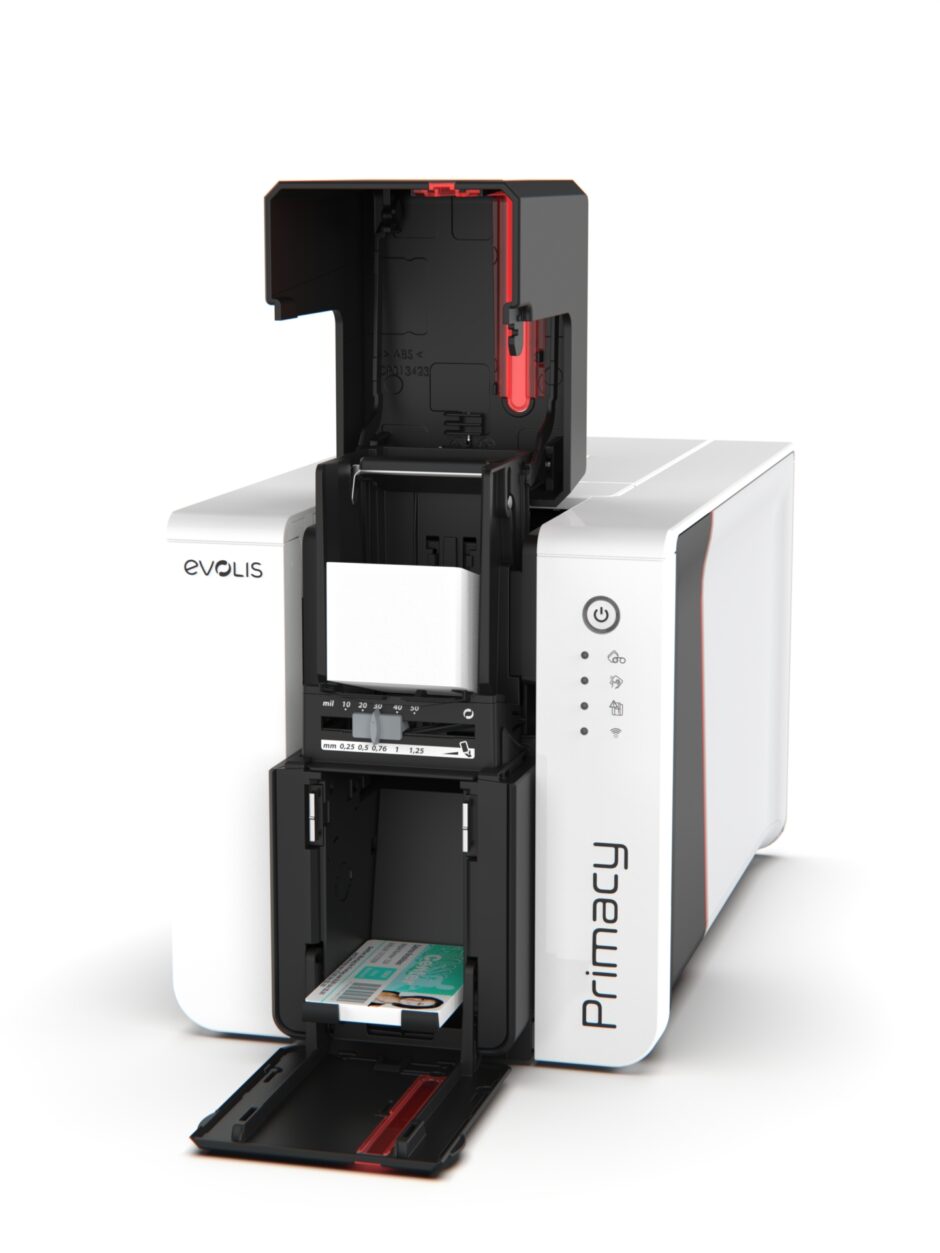
These printers use dye-sublimation or thermal transfer technology to print directly onto the surface of a card.
Pros:
Cost-effective for small to medium volumes
Fast printing speed
Easy to use and maintain
Cons:
Slight white border around edges
Not ideal for cards with embedded chips or irregular surfaces
Best For: Schools, small offices, retail loyalty programs.
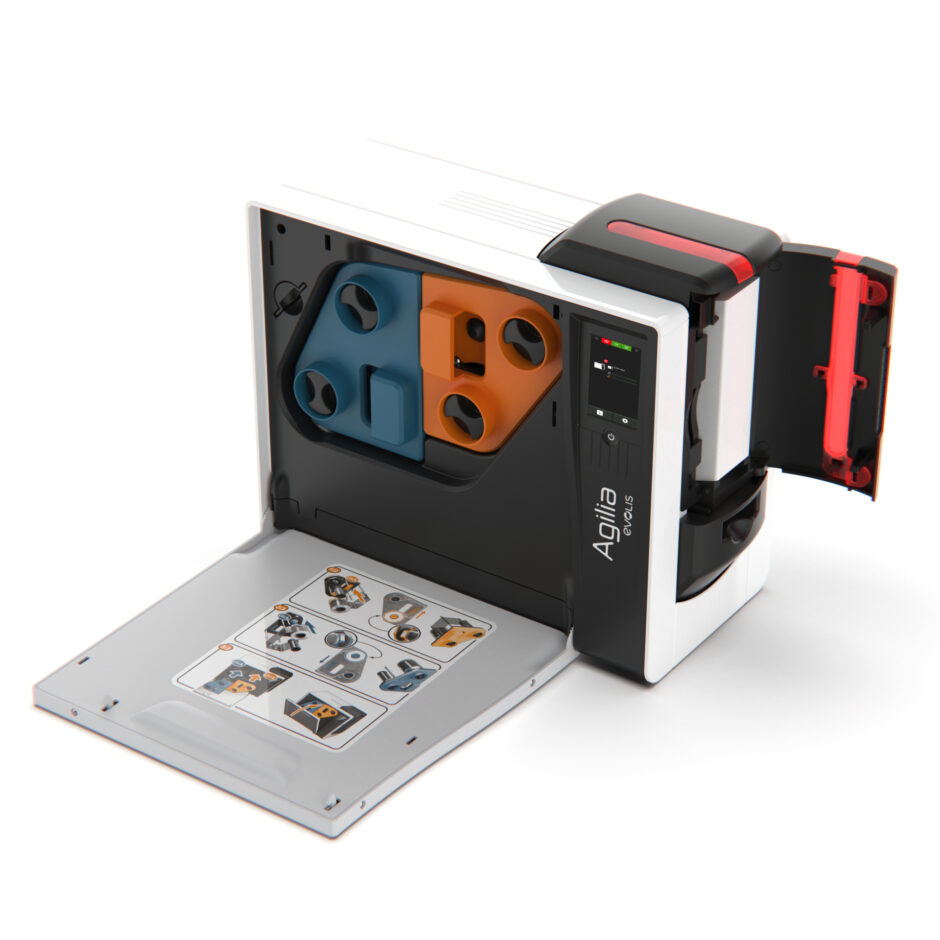
Retransfer printers print the image onto a clear film first, then heat-bond it to the card surface.
Pros:
Completely covers whole card.
Superior image quality and durability
Works with smart cards and proximity cards
Cons:
Higher initial cost
Slightly slower print time
Best For: Corporates, universities, secure ID applications.
Below are the main factors to evaluate, if you are looking for a card printer in 2025:
How many cards do you print per day or month?
Low volume (<500/month): Entry-level DTC printer
Medium volume (500–5,000/month): Mid-range printer with dual-sided option
High volume (>5,000/month): Industrial or retransfer printer
Resolution is measured in dpi (dots per inch) - most modern printers range from 300–600 dpi.
Higher resolution ensures clear logos, photos, and barcodes.
Dual-sided printers automatically print on both sides of a card which saves time for double-sided designs like ID + barcode layouts.
For access control or data storage, choose printers with:
Magnetic stripe encoders
Smart card / RFID encoders
Contactless chip support
Most printers offer USB and Ethernet connectivity.
Advanced models include Wi-Fi, ideal for shared office environments.
If printing ID or access badges, look for:
Holographic lamination
UV or watermark printing
Password protection
Evolis solely focus on card printing technology which sets them apart from any other card printer manufacturer. They focus on ease of use, eco-friendly design, and high-quality print performance. We partner with them for this reason, knowing the level of service they are able to offer.
Every card printer uses specific ribbons or films that transfer ink to the card surface. Common types include:
YMCKO ribbons – Full-colour (Yellow, Magenta, Cyan, Black, Overlay)
Monochrome ribbons – Single-colour printing for text or barcodes
Retransfer films – Used in retransfer printers for superior finish
Cleaning kits – Essential for maintaining print head quality and lifespan
Always buy genuine ribbons and consumables to avoid voiding warranties or damaging the printer.
Keeping your card printer in top condition extends its life and ensures professional results:
Clean regularly with approved kits
Replace ribbons before they run completely out to prevent print head damage
Avoid dust and store cards in a clean, sealed container
Update firmware for optimal performance
Perform test prints monthly to check for colour drift or misalignment
| Problem | Possible Cause | Solution |
|---|---|---|
| Faded print | Low ribbon quality / dirty print head | Clean printer, use genuine ribbon |
| Card not feeding | Roller misalignment | Check feed rollers or card thickness |
| Colour banding | Heat setting too low / ribbon wrinkle | Adjust print head temperature |
| Encoding errors | Wrong card type | Confirm encoder settings and card type |
Many modern POS systems now integrate directly with card printers to offer:
Customer loyalty cards
Prepaid gift cards
Instant membership cards
Staff ID for retail chains
This integration creates a seamless customer experience and adds branding value at the checkout point.
Before purchasing, ask yourself:
What card types will you print (PVC, smart, magstripe)?
What’s your monthly volume?
Do you need the design to cover the whole of the card?
Will you print in colour or monochrome?
How much space do you have on your POS counter?
Q1: Can I print on both sides of a card?
Yes, with a dual-sided printer or by manually flipping cards if using a single-sided printer.
Q2: How long does it take to print a card?
Typically between 15–40 seconds, depending on the printer and design complexity.
Q3: Do I need special software?
Most printers come with design software, but you can use tools like CardPresso or Evolis Badge Studio for professional layouts.
Q4: What’s the lifespan of a card printer?
With proper maintenance, 5 - 8 years is typical.
Q5: Can I connect my card printer to a POS system?
Yes - many POS and CRM systems support integration for loyalty or membership programs.
A reliable card printer is more than a printing device - it’s a branding and security asset. Whether you need to issue employee IDs, membership cards, or secure access badges, investing in the right hardware saves time, improves professionalism, and enhances customer trust.
For expert advice or to browse our full range of card printers, ribbons, and consumables, click here.
{"one"=>"Select 2 or 3 items to compare", "other"=>"{{ count }} of 3 items selected"}






Leave a comment